Drilling Cable Holes in Furniture: Complete Guide
Master the art of creating clean cable holes in desks, cabinets, and more for seamless wire management and modern aesthetics.
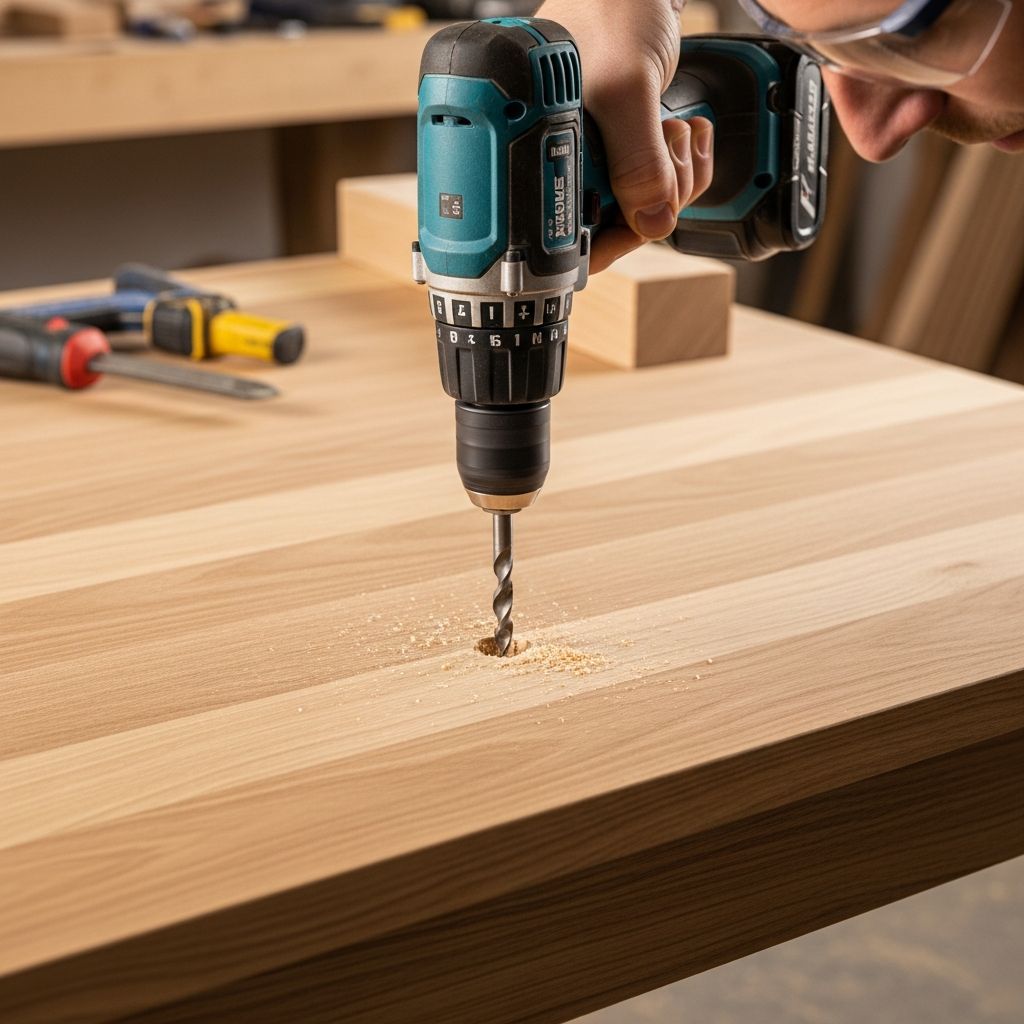
Creating openings for cables in furniture enhances organization and maintains a clutter-free appearance in home offices, entertainment centers, and living spaces. This process involves careful planning, the right equipment, and precise execution to avoid damaging wood, laminate, or other materials.
Why Add Cable Holes to Your Furniture?
Modern setups with computers, TVs, and gaming consoles generate numerous wires that can tangle visibly. Strategic holes allow cables to pass discreetly through surfaces, improving airflow and accessibility. Common spots include desk tops for power cords, cabinet backs for AV equipment, and shelving units for lighting. Properly done, these modifications preserve furniture integrity while boosting functionality.
Essential Tools and Supplies
Gather these items before starting to ensure efficiency and safety:
- Power drill: Corded models offer consistent torque for larger bits.
- Hole saw kit: Select sizes from 1.5 to 3 inches based on cable volume; bi-metal for durability.
- Pilot bit: 1/8-inch or 1/4-inch for initial guide hole.
- Tape measure and pencil: For precise marking.
- Painter’s tape: Prevents chipping on finished surfaces.
- Cable grommets: Plastic or metal covers, typically 2-2.5 inches, to protect edges and hide rough cuts.
- Safety gear: Glasses, gloves, and dust mask.
- Cleaning tools: Vacuum, sandpaper (220-grit), and wood filler if needed.
Quality tools reduce splintering risks, especially on plywood or veneer.
Planning Your Cable Hole Location
Choose positions that minimize visibility and maximize utility. For desks, center rear or slightly off-center on the top surface avoids keyboard interference. In cabinets, target back panels above and below shelves to route multiple cables without obstruction. Measure twice: account for furniture depth, internal supports, and cable bend radius. Test with a template cut from cardboard to visualize the final opening.
| Furniture Type | Ideal Locations | Typical Hole Size |
|---|---|---|
| Desk Top | Center-back, 2-4 inches from edge | 2-2.5 inches |
| Cabinet Back | Above/below shelves, near sides | 1.5-3 inches |
| TV Stand | Rear panel, bottom third | 2 inches |
| Shelf Unit | Side or back panels | 1-2 inches |
Step-by-Step Drilling Process
Step 1: Mark and Protect the Surface
Apply painter’s tape in an X pattern over the spot to stabilize fibers and reduce tear-out. Mark the center with a pencil. For thin materials like plywood backs, reinforce with additional tape layers.
Step 2: Create a Pilot Hole
Install a small bit in the drill. Position perpendicular to the surface and bore straight down at low speed until through. This guides the hole saw and prevents wandering.
Step 3: Select and Attach Hole Saw
Match the saw diameter to your grommet—measure the inner flange for accuracy. Secure it firmly; lubricate teeth with cutting oil for wood. For thick tops (over 1 inch), plan bidirectional drilling.
Step 4: Drill the Main Hole
Align the pilot point in the guide hole. Start slow, letting teeth bite gently. Apply even pressure without forcing—let the tool do the work. For thin plywood, drill halfway from one side, flip, and finish from the opposite to avoid blowout. Stop periodically to clear debris.
Step 5: Refine and Smooth Edges
Remove tape and vacuum sawdust. Sand edges lightly for a flush fit. Test cable passage; enlarge slightly if tight using a round file.
Step 6: Fit the Grommet
Insert the grommet cap from the top, snapping the base underneath. It conceals imperfections and prevents snags. Trim excess if oversized.
Safety Precautions During Drilling
Always unplug tools when changing bits. Wear eye protection against flying chips. Secure furniture to prevent shifting—clamp if possible. Work in a ventilated area to disperse dust. For overhead drilling, use a stable ladder. Avoid electrical hazards by routing power cords safely post-installation.
Advanced Techniques for Challenging Materials
Laminate or Veneer: Extra tape layers and low-speed drilling minimize delamination.
Thick Hardwoods: Use sharp Forstner bits for flatter cuts; bidirectional approach prevents splintering.
MDF or Particleboard: These compress easily—drill slowly to avoid crumbling edges.
Metal-Trimmed Furniture: Switch to step bits or specialized cutters; professional help advised for alloys.
For rear panels in entertainment units, position holes to bridge shelves, enabling upper and lower cable runs.
Troubleshooting Common Issues
- Splintered Edges: Sand and apply edge banding or filler; prevention via tape is key.
- Off-Center Hole: Caused by pilot misalignment—always verify perpendicularity.
- Drill Binding: Clear chips frequently; use sharper bits.
- Grommet Won’t Fit: Measure precisely; opt for adjustable models.
Enhancing Cable Management Post-Drilling
Combine holes with under-desk trays, zip ties, and velcro sleeves for full organization. Add powered USB hubs in grommets for peripherals. In multi-unit setups, align holes vertically for daisy-chained wiring.
Maintenance and Long-Term Care
Periodically inspect grommets for wear; replace if cracked. Dust holes to prevent buildup. Refinish surrounding areas if paint chips occur.
Frequently Asked Questions (FAQs)
Q: What is the best hole size for most cable setups?
A: 2 to 2.5 inches accommodates multiple cords; scale up for thick power adapters.
Q: Can I drill into glass or acrylic furniture?
A: Not recommended for DIY—requires diamond bits and coolant; risk of shattering is high.
Q: Is a cordless drill sufficient?
A: Yes for thin materials, but corded provides better power for dense woods.
Q: How do I fix an oversized hole?
A: Use a larger grommet or wooden plug with epoxy, then redrill accurately.
Q: Are grommets necessary?
A: Essential for safety and aesthetics; they protect cables from sharp edges.
Benefits of Professional-Looking Cable Holes
These modifications elevate furniture from utilitarian to polished, reducing visual clutter by up to 70% in typical setups. They facilitate easier cleaning and rearrangements, extending piece lifespan through reduced wear on surfaces from dragged cords.
References
- How to Drill a Cord Hole on an Executive Desk — Kaguyasu. 2023-05-15. https://kaguyasu.com/blogs/blog/how-to-drill-a-cord-hole-on-an-executive-desk
- Drilling a large neat hole for cables in the back of a piece of furniture — Boogaloo Exceptions (YouTube). 2022-01-04. https://www.youtube.com/watch?v=8y1M-DybwiA
- How to drill a hole in your desk for your computer cords — Selene Builds Things (YouTube). 2024-02-07. https://www.youtube.com/watch?v=tQyUD_r-8hU
- How-To: Drill A Grommet Hole In Your Desk’s Work Surface — YouTube. 2015-06-12. https://www.youtube.com/watch?v=a47Lib2PXK0
- How To Install a Desk Grommet in 12 Simple Steps — Mockett. 2025-01-10. https://www.mockett.com/blog/blog-2025-install-desk-grommet.html
Similar Articles







Read full bio of medha deb