Fiber Optic Cable Installation Guide
Master the step-by-step process of installing fiber optic cables for high-speed networks at home or in professional setups with safety and precision.
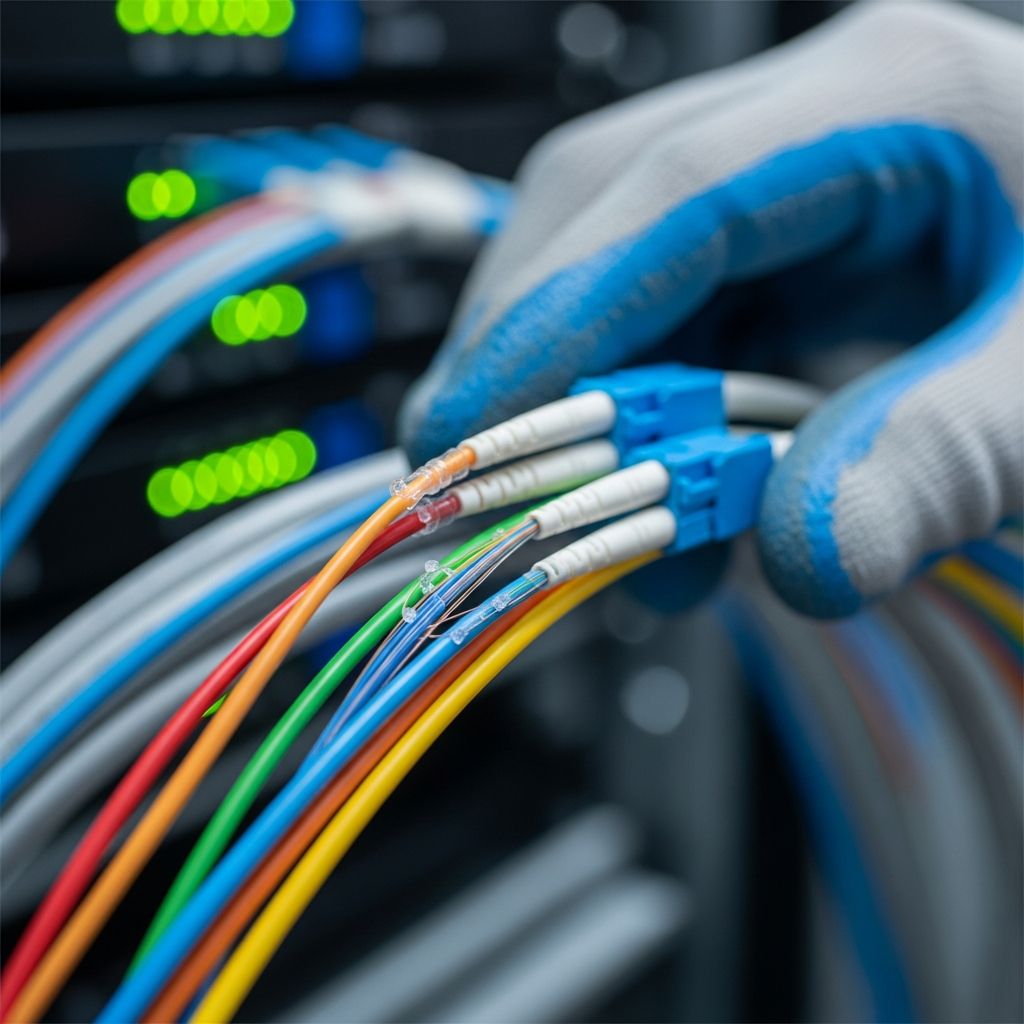
Fiber optic cables transmit data at lightning speeds using light signals, making them essential for modern high-bandwidth networks. Proper installation ensures reliability, minimizes signal loss, and prevents damage to delicate fibers. This guide outlines planning, tools, methods, and troubleshooting for successful deployment in various environments.
Planning Your Fiber Optic Project
Effective installation begins with thorough planning. Survey the route to identify obstacles, measure distances accurately, and obtain necessary permits. Dedicated pathways prevent interference from copper cables, which can cause excessive loading or twisting.
- Map the exact cable path, noting bends, elevation changes, and entry points.
- Calculate cable length with 10-20% extra for service loops to allow flexibility during maintenance.
- Check local regulations for underground digs, aerial spans, or indoor routing.
- Assess environmental factors like soil type for burial or pole spacing for aerial runs.
Use route drawings to document fiber assignments, loss readings, and OTDR traces for future reference. Prepare emergency repair plans in advance.
Essential Tools and Materials
Gather specialized equipment to handle fiber without contamination or damage. Cleanliness is critical as dust on connectors causes signal attenuation.
| Category | Items | Purpose |
|---|---|---|
| Pulling Tools | Pulling eye, swivel, lubricant, winch, rollers | Smooth cable deployment without twisting |
| Cutting & Prep | Fiber stripper, cleaver, microscope, Kevlar scissors | Precise fiber preparation for splicing |
| Protection | Innerduct, conduit, cable trays, clamps | Shield cables from damage and mixing |
| Testing | OTDR, power meter, visual fault locator | Verify signal integrity post-install |
| Cleaning | Wet wipes, isopropyl alcohol, lint-free swabs | Remove contaminants from ends |
Drum reels should rotate freely, positioned level with installation paths to avoid ground contact.
Underground Installation Techniques
For buried or ducted runs, prioritize drilling continuity checks and lubrication. Start pulling from the second-to-last manhole to manage excess cable efficiently.
- Inspect and drill ducts for unobstructed paths.
- Insert guide wire with lubricant sling, followed by pulling rope.
- Attach fiber cable via rotating knot to swivel, ensuring no sharp edges.
- Deploy sponges soaked in lubricant every 50m; pour additional at zones.
- Pull steadily with a winch, coiling excess in figure-8 patterns to prevent twists.
Techniques include plowing, trenching, or directional boring. Use existing ducts when available to minimize disruption.
Aerial Fiber Optic Deployment
Aerial installation suits pole-to-pole spans, often alongside utilities. Secure drums on cranes or trailers for top unwind, matching pole heights.
- Place cable next to existing steel fasteners using guides and ties.
- Maintain minimum bend radii to avoid stress fractures.
- Employ cable drum trucks for efficient laying between poles.
- Two-person teams: one pulls, the other feeds to reduce tension.
Avoid long pulls; segment from the middle outward for safety.
Indoor and Premises Cabling
Premises networks use trays, conduits, or hooks. Never mix with copper to prevent damage.
Install in raceways above ceilings, under floors, or via innerducts with pulling tape. Form service loops for patch panel access.
- Secure with large-area plastic clamps; hand-tighten gently to avoid pinching.
- Blow cables through ducts using compressed gas for long runs.
- Coil slack in figure-8s on floors during pulls.
Fiber Splicing and Preparation
Splicing joins fibers via fusion or mechanical methods after stripping. Remove outer jacket, metal shields, buffer tubes, and Kevlar carefully.
- Strip cable layers using precision tools.
- Cleave fibers squarely for low-loss joins.
- Align in fusion splicer; protect with sleeves.
- Clean connectors with unidirectional wipes; avoid scrubbing.
Microscopic inspection confirms quality before enclosure.
Home Fiber Optic Connections
Residential installs create a demarcation at a wall-mounted termination enclosure near the electrical panel.
- Run drop cable underground via bore/trench or aerially over poles.
- Drill entry hole through walls, seal with bushing and caulk.
- Mount Optical Network Terminal (ONT) inside for service activation.
- Prefer side/back wall placement for aesthetics.
Existing utility paths can route fiber without new drilling.
Testing and Activation
Post-install, test for continuity, loss, and faults. Record OTDR traces and power levels.
| Test | Tool | Pass Criteria |
|---|---|---|
| Continuity | Visual Fault Locator | No breaks or macro-bends |
| Insertion Loss | Power Meter | <0.3 dB per splice |
| OTDR Trace | OTDR | Matches route, low reflections |
Activate by removing dust caps only at connection time.
Common Pitfalls and Safety Tips
Avoid twisting, kinking, or over-tensioning fibers. Use two-person teams for pulls; never exceed manufacturer pull limits.
- Wear eye protection; fibers are sharp.
- Lubricate ducts adequately to reduce friction.
- Store reels upright; rotate before payout.
- Label cables clearly for identification.
For SFP modules in switches, clean ends meticulously before insertion.
Frequently Asked Questions (FAQs)
How long does fiber installation take?
Residential drops take 4-8 hours; larger networks span days based on route complexity.
Can I install fiber optic myself?
DIY suits short indoor runs with tools; professionals handle splicing and long hauls for certification.
What’s the difference between fusion and mechanical splicing?
Fusion melts fibers for permanent low-loss joins; mechanical aligns with gel for quick, higher-loss connections.
Do fiber cables need conduit indoors?
Recommended for protection and future pulls; innerduct aids identification.
How to avoid signal loss during install?
Maintain bend radii, clean connectors, test thoroughly, and avoid copper proximity.
Advanced Tips for Professional Installs
For LAN/MAN networks, segment pulls and use blowing for 5km+ runs. Integrate with switches via clean SFPs for max speed.
Service loops enable enclosure movement without recuts.
References
- OPTICAL FIBRE CABLES INSTALLATION GUIDE — Optral. 2023. https://optral.com/uploads/Certificaciones%20Optral/ETW01013i.pdf
- 101 Guidelines for Fiber Optic Cable Installation — Fosco Connect. 2023. http://www.fiberoptics4sale.com/wordpress/101-guidelines-for-fiber-optic-cable-installation/
- Fiber Optic Cable Installation Process: Connecting Homes — Dgtl Infra. 2024. https://dgtlinfra.com/fiber-optic-cable-installation-process/
- T-Mobile Fiber Internet Installation — T-Mobile. 2025. https://www.t-mobile.com/home-internet/fiber/fiber-optic-installation
- How to Setup a Fiber Optic Home Network for MAXIMUM SPEED! — YouTube (FASTCABLING). 2023. https://www.youtube.com/watch?v=XQjP135ZtcE
- The FOA Reference For Fiber Optics – Fiber Optic Installation — Fiber Optic Association. 2024. https://www.thefoa.org/tech/ref/basic/install.html
- Top 10 Basic Tips for Fiber Optic Cable Installation — Bluechip Gulf. 2023. https://www.bluechipgulf.ae/tips-for-fiber-optic-cable-installation/
Similar Articles



Read full bio of medha deb