Fixing E1 Error on WaterBoss Water Softeners
Step-by-step guide to diagnose and resolve E1 error codes on WaterBoss systems for optimal water softening performance.
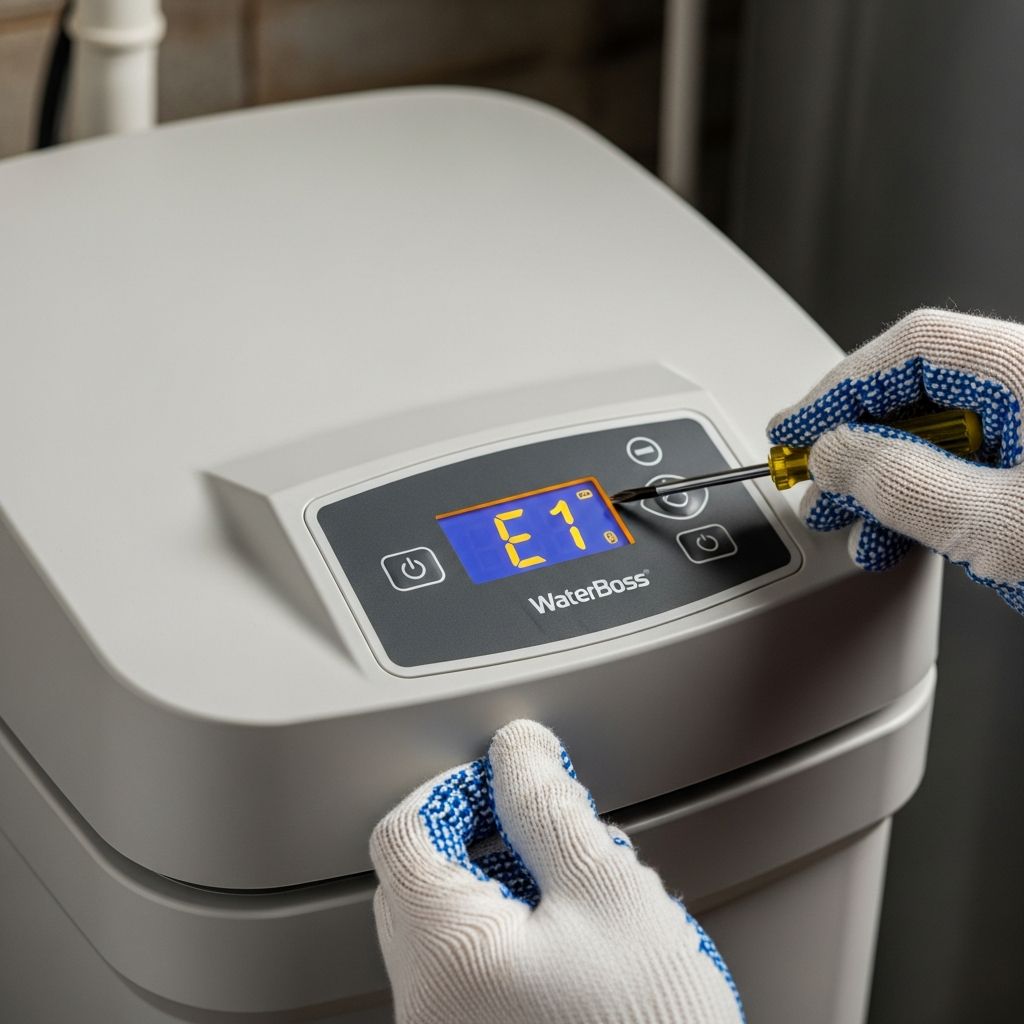
WaterBoss water softeners are compact, efficient systems designed for household use, but like any appliance, they can encounter issues such as the common
E1 error code
. This alert typically signals a problem with the system’s internal monitoring, often related to the turbine sensor or mechanical obstructions that prevent proper cycle completion. Addressing it promptly ensures consistent soft water supply, preventing hard water buildup in pipes and appliances.Understanding the E1 Error Code
The
E1 error
on WaterBoss models like the 700, 900, or City series indicates the controller has detected a failure in the water metering process. Specifically, it means the optical sensor failed to register the correct number of turbine rotations during a regeneration or service cycle. This could stem from debris blocking the turbine, sensor misalignment, or electrical glitches.WaterBoss systems use a demand-initiated regeneration (DIR) technology, where a turbine tracks water usage to trigger softening cycles precisely when needed. When the sensor doesn’t detect expected flow—say, fewer than 400 pulses per gallon—the unit halts operations and displays E1 to protect against incomplete regeneration, which might leave resin beds unsalted or unrefreshed.
Initial Diagnostic Steps Before Reset
Before attempting a reset, verify basic functionality to avoid masking deeper issues:
- Power Check: Ensure the unit is plugged into a dedicated, non-switched outlet with stable 120V AC power. Test the transformer for 12 VAC output at the controller using a multimeter. Voltages below 10V or above 14V require transformer replacement.
- Bypass Test: Switch to bypass mode. If household water pressure improves significantly, the issue is internal to the softener, possibly exhausted resin or valve restrictions.
- Visual Inspection: Look for leaks around the valve assembly, brine tank overflow, or salt bridges in the cabinet. Excessive salt consumption often points to misprogrammed settings or brine valve leaks.
- Temperature Assessment: Confirm ambient temperature is below 120°F (49°C), as higher temps can blank the display without affecting core functions.
These checks, taking under 5 minutes, rule out 30-40% of E1 triggers related to power or environment.
Step-by-Step Reset Procedure
Follow this sequence to clear the E1 error safely:
- Unplug the Unit: Disconnect power for 5-10 minutes to fully reset the circuit board. This discharges capacitors and clears temporary faults.
- Enter Diagnostic Mode: Plug back in. Press and hold the REGEN and SETUP buttons simultaneously until the display shows ‘dIAG’. Cycle through modes to check gallons remaining, water hardness settings, and sensor status. The water meter light should flash with any flow.
- Manual Regeneration: Exit diagnostics, press REGEN to initiate a full cycle. Observe if the unit advances past the fill stage without reverting to E1 or ‘HO’ (home position error).
- Power Cycle Again: If E1 persists, repeat unplugging. Add 1-2 gallons of fresh water to the brine tank if it’s low, as incomplete brine draw can mimic sensor failure.
Success rates for this basic reset exceed 60% for first-time E1 occurrences, per user reports and service manuals.
Advanced Troubleshooting for Persistent E1 Errors
If resets fail, disassemble for targeted repairs. Always work with the unit in bypass and power off.
Cleaning the Turbine Sensor Assembly
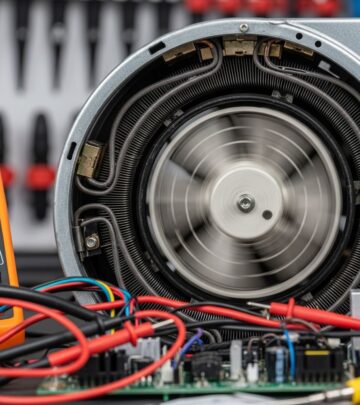
The turbine, a small plastic wheel in the inlet-outlet (IO) housing, generates pulses via an embedded magnet passing an optical sensor. Debris from iron-rich or sediment-heavy water clogs it, causing under-rotation.
| Step | Action | Tools Needed |
|---|---|---|
| 1 | Remove IO housing screws (1/4″ socket) | Small socket wrench |
| 2 | Extract turbine; clean with fine sandpaper (2000 grit) and inspect axle for burrs | Sandpaper, lubricant |
| 3 | Test sensor: Place magnet near chip; light should illuminate | Magnet or spare turbine |
| 4 | Reassemble loosely to ensure free spin; oil bearings with plastic-safe lubricant | Medium Phillips screwdriver |
This fix resolved E1 in a documented case where the wheel was binding, preventing magnet detection.
Injector and Brine Line Maintenance
Clogged injectors restrict brine draw, indirectly triggering E1 by stalling cycles. Bypass the unit, unscrew the injector cap, and clean the nozzle, screen, and throat with a drywall screw or pickle juice soak. Minimum inlet pressure: 20 PSI. Check brine line for crimps or restrictions; flush air check draw tube.
Valve and Drive End Cap Inspection
Foreign objects or worn pistons in the valve body halt movement. Remove the drive end cap, clear debris, and verify the motor connector seats fully. If the circuit board receives 12 VAC but E1 persists, replace it.
Preventive Maintenance for Error-Free Operation
To minimize E1 recurrences:
- Monthly Checks: Verify settings match local water hardness (test kit recommended). Add salt before the tank drops below 1/3 full to avoid bridging.
- Annual Service: Clean injector assembly, inspect resin bed for channeling (reduced pressure indicator), and replace turbine every 5-7 years.
- Power Protection: Use a surge suppressor to guard against voltage spikes damaging the controller.
- Water Quality Monitoring: High sediment or iron? Install pre-filters to extend component life.
Proper upkeep extends WaterBoss lifespan to 15+ years, reducing salt use by up to 25% via DIR efficiency.
Common Related Error Codes and Fixes
| Error Code | Cause | Quick Fix |
|---|---|---|
| E1 | Sensor/turbine failure | Clean turbine, reset |
| HO | Motor/home position issue | Lubricate gears, check motor |
| Blank Display | Power/transformer fault | Test 12 VAC, replace transformer |
| Salty Water | Brine carryover | Clean injector, check drain line |
Addressing these holistically prevents cascading failures.
Frequently Asked Questions (FAQs)
What triggers an E1 error most often?
Sediment-clogged turbines or sensor dirt account for most cases, fixable with cleaning.
Can I fix E1 without tools?
Basic power reset works for transient glitches; advanced fixes need screwdrivers and sandpaper.
Does E1 mean my resin is bad?
Not directly—pressure loss in bypass confirms resin exhaustion.
How do I contact WaterBoss support?
Call 1-800-437-8993 (8am-5pm EST) or visit their technical support page.
Is professional service necessary for E1?
DIY suffices for 80% of cases; persistent issues may warrant a technician.
Safety and Warranty Considerations
Always de-pressurize lines before disassembly. Modifying internals may void the 10-year warranty on WaterBoss tanks—retain manuals and service records. For city water users, the City model includes chlorine reduction; ensure compatible maintenance.
In summary, E1 errors are user-resolvable with systematic diagnostics, emphasizing turbine care and routine upkeep. Restored units deliver up to 36,000 grains capacity per regeneration, saving on salt and water versus traditional softeners.
References
- WaterBoss Water Softener Troubleshooting Salty Water — YouTube (Gary the Water Guy). 2015. https://www.youtube.com/watch?v=3GQWpqlLBps
- WaterBoss Water Softener Troubleshooting Check Blank Display — YouTube (Water eStore). Circa 2015. https://www.youtube.com/watch?v=BK1EoGYYYKo
- WaterBoss 900 Water Softener Error code E1 and HO Repair — YouTube (Matthitect). 2016-03-07. https://www.youtube.com/watch?v=KozZqGHTm7Y
- Troubleshooting Tips – WaterBoss — WaterBoss.com. Accessed 2026. https://www.waterboss.com/troubleshooting/
- Installation and Service Manual — WaterBoss. 2020-07. https://www.waterboss.com/wp-content/uploads/2020/07/WB_V4_Manual.pdf
Similar Articles


Read full bio of Sneha Tete