Garbage Disposal Reset Button: Complete Guide
Learn how to properly reset your garbage disposal and troubleshoot common issues.
Understanding Your Garbage Disposal Reset Button
Garbage disposals are invaluable kitchen appliances that make food waste management quick and convenient. However, like any mechanical device, they occasionally malfunction or stop working unexpectedly. The good news is that many common garbage disposal problems can be resolved with a simple reset. Understanding how to use your garbage disposal’s reset button is an essential skill for any homeowner, and it can save you significant money on professional plumbing services.
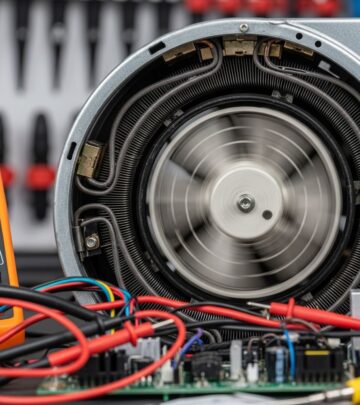
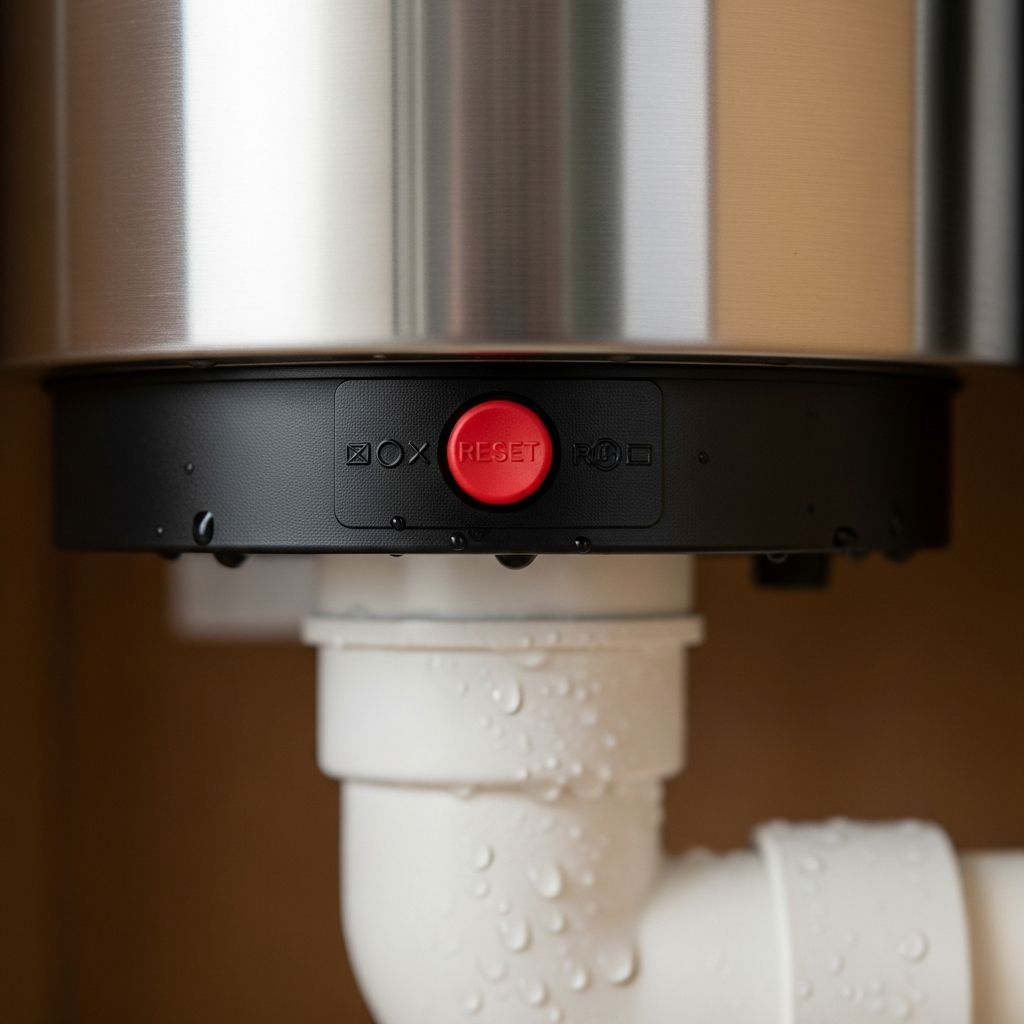
The reset button is a built-in safety feature designed to protect your garbage disposal’s motor from damage caused by overloading, jamming, or overheating. When your disposal encounters one of these issues, the reset button automatically pops out and cuts power to the unit, essentially acting as a thermal overload protection device. This mechanism prevents electrical damage and ensures user safety by stopping the motor from running when problems occur.
Locating the Reset Button
Before you can reset your garbage disposal, you need to find the reset button. This small but crucial component is typically a red or black button, though some models feature yellow buttons. The reset button is usually located on the bottom of the garbage disposal unit, though on some models it may be found on the side.
To locate your reset button, look directly underneath your sink where the garbage disposal is mounted. You may need a flashlight to see it clearly, especially if your sink cabinet is poorly lit. If you’re having difficulty finding it, consult your disposal’s user manual or search for a diagram specific to your model online. Different manufacturers may position the button slightly differently, so checking your documentation is always a good idea.
Safety Precautions Before Resetting
Safety must always be your top priority when working with any electrical appliance, including your garbage disposal. Before attempting any reset or troubleshooting steps, follow these essential safety guidelines:
Turn off the power: Locate the electrical switch controlling your garbage disposal, typically found on the wall near your sink or under the cabinet. Flip this switch to the “off” position. For added safety, you can also switch off the circuit breaker that supplies power to the disposal. Never attempt to reset or work on your disposal while it’s plugged in or powered on.
Never insert hands or objects: Even when attempting a reset, never put your hands, fingers, or any foreign objects down the disposal opening. The impellers (grinding blades) can cause serious injuries, and you should avoid any contact with the unit’s internal components until you’re absolutely certain the power is completely disconnected.
Ensure proper ventilation: Make sure your kitchen is well-ventilated before working on your disposal, as there may be food debris and odors present in the unit.
Step-by-Step Reset Process
Step 1: Power Down the Unit
The first and most critical step is to ensure your garbage disposal has no electrical power. Turn off the wall switch or flip the circuit breaker to the off position. Wait a few seconds to allow any residual electricity to dissipate from the system.
Step 2: Identify the Reset Button Location
With the power safely off, locate the reset button underneath your sink. Look on the bottom center of the disposal unit or along the side, depending on your model. Use a flashlight if needed to get a clear view of the button. Once located, ensure you have clear access to press it firmly.
Step 3: Press and Hold the Reset Button
Using your finger or a small object like the end of a pen, firmly press the reset button. You may feel a slight click or experience some resistance when pressing. Hold the button down for approximately 10 to 15 seconds, then release it slowly. This action resets the garbage disposal’s internal circuitry and clears any minor electrical issues or glitches that may have caused the unit to stop functioning.
Step 4: Restore Power to the Disposal
After pressing the reset button, turn the wall switch back on or flip the circuit breaker to the on position. Wait a moment for the disposal to initialize before proceeding to the next step.
Step 5: Test the Disposal
To test whether your reset was successful, run cold water into the sink and turn on the disposal. Listen carefully for any unusual noises, vibrations, or grinding sounds that might indicate remaining problems. If the motor runs smoothly and quietly, the reset has likely resolved your issue. However, if the disposal still doesn’t work or produces strange sounds, you may need to proceed with additional troubleshooting steps.
Troubleshooting When Reset Alone Doesn’t Work
Manual Blade Rotation Using a Wrench
If pressing the reset button doesn’t resolve the problem, your garbage disposal may be jammed with debris that requires manual removal. Some disposals come with a special wrench, often an Allen wrench or hex wrench, designed to manually rotate the grinding plate or impellers.
To use this wrench, turn off and unplug the disposal. Insert the wrench into the hole at the bottom center of the unit and give it several gentle turns clockwise and counterclockwise. This rotational motion helps dislodge any stuck food particles, bones, or other debris that may be blocking the impellers. After rotating the wrench several times, remove it and try resetting the disposal again.
Removing Visible Debris
Before operating your disposal after a reset, always check for visible debris or foreign objects. While the power is off, you can use tongs or pliers to carefully remove any visible items stuck in the chamber. Never use your hands to reach into the disposal, even when it’s powered off.
Running Water During Operation
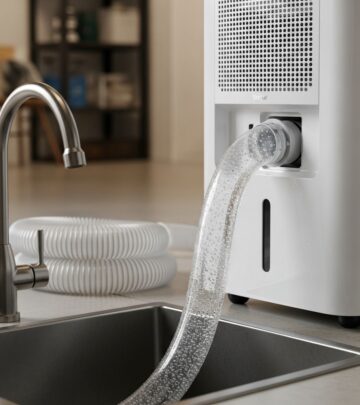
When testing your disposal after a reset, always run cold water into the sink. Cold water helps solidify any remaining grease or oil, allowing the disposal to grind it more effectively. Running water also helps flush debris out of the system and prevents the disposal from overheating during operation.
Common Issues and Solutions
Disposal Won’t Turn On After Reset
If your disposal still won’t turn on after resetting, check that the wall switch is truly in the on position. Sometimes switches can appear to be on when they’re actually in a middle position. Try flipping the switch off and on several times. If the disposal still doesn’t respond, the problem may be a tripped circuit breaker or a more serious electrical issue requiring professional attention.
Unusual Noises During Operation
If your disposal makes grinding, squealing, or rattling noises after resetting, this typically indicates remaining jams or loose components. Turn off the disposal immediately and investigate the source. Metal objects like utensils can fall into the chamber and cause these sounds. Once removed, try running the disposal again.
Disposal Resets Repeatedly
If your reset button keeps popping out after you’ve reset it, the disposal may be continuously overloaded or jamming. This could indicate a more serious mechanical problem that requires professional diagnosis and repair.
When to Call a Professional
While resetting your garbage disposal resolves many common issues, some problems require professional plumbing expertise. Contact a licensed plumber if:
The disposal doesn’t respond to a reset and remains completely non-functional. You detect burning smells or see visible damage to the unit. The disposal frequently jams despite your troubleshooting efforts. You notice leaks coming from the disposal or surrounding pipes. The reset button continuously pops out immediately after being pressed. You’re uncomfortable performing any troubleshooting steps yourself.
Preventative Maintenance Tips
Proper Food Waste Disposal
Prevent future jams and resets by being mindful of what you put down your disposal. Avoid disposing of fibrous vegetables like celery or corn husks, hard items like bones or seeds, and starchy foods like rice or pasta in large quantities. These items are common culprits for jams and clogs.
Regular Cleaning
Run your disposal regularly with cold water and dish soap to keep it clean and prevent odors. You can also grind ice cubes occasionally to help sharpen the blades and clear away buildup. Never use hot water, as it can liquefy grease and cause clogs deeper in your plumbing system.
Monitoring Performance
Pay attention to how your disposal sounds and operates. If you notice gradual changes in performance or increased noise levels, these may be early signs of developing problems. Addressing minor issues promptly can prevent major breakdowns.
Understanding Your Disposal’s Safety Features
The reset button is just one of several safety features built into modern garbage disposals. Continuous-feed models have a wall switch that controls power, while batch-feed models have a stopper that must be inserted to operate the unit. These designs prevent accidental activation and injuries. Understanding these safety features helps you use your disposal responsibly and maintain a safe kitchen environment.
Frequently Asked Questions
Q: How often should I reset my garbage disposal?
A: Ideally, you should rarely need to reset your garbage disposal. If you’re resetting it frequently, this indicates an underlying problem that requires professional inspection and repair.
Q: Can I reset my garbage disposal while it’s plugged in?
A: No, never attempt to reset your disposal while it’s plugged in or powered on. Always turn off the electrical switch or circuit breaker before pressing the reset button.
Q: What if I can’t find the reset button on my disposal?
A: Consult your disposal’s user manual for specific location information. You can also search online for your model number to find diagrams and documentation from the manufacturer.
Q: Is the reset button the same on all garbage disposal models?
A: While most disposals have a reset button, its exact location and appearance may vary by manufacturer and model. Refer to your specific model’s documentation for accurate information.
Q: Can resetting my garbage disposal cause any damage?
A: No, resetting your disposal is a safe procedure when done correctly with the power off. The reset button is specifically designed to be used and won’t cause damage to the unit.
Q: What should I do if the reset button won’t stay pressed in?
A: If the reset button pops back out immediately, this indicates a persistent problem preventing the circuit from completing. Try removing any jams using a wrench, then attempt resetting again. If it continues to pop, contact a professional.
References
- How to Reset a Garbage Disposal — Benjamin Franklin Plumbing. 2023-11. https://www.benjaminfranklinplumbing.com/long-beach/blog/2023/november/how-to-reset-a-garbage-disposal/
- How to Reset a Garbage Disposal — Whirlpool Product Help. 2024. https://producthelp.whirlpool.com/Other_Products/Disposers/Product_Info/Disposer_Product_Assistance/How_to_Reset_a_Garbage_Disposal
- How to Reset a Garbage Disposal — Call Keep Smiling Plumbing & Electric. 2024. https://callkeepsmiling.com/how-to-reset-a-garbage-disposal/
- Resetting Your Garbage Disposal: A Quick Guide — CGC Home Services. 2024. https://cgchomeservices.com/resetting-your-garbage-disposal-a-quick-guide/
- How To Reset Your Garbage Disposal With A Reset Button — American Home Shield. 2015-10-19. https://www.youtube.com/watch?v=qmRzTJGSUgQ
Similar Articles


Read full bio of medha deb