The Complete Guide to Keeping Your Phone Clean, Safe and Germ-Reduced
Simple, science-backed ways to keep your smartphone spotless and safer to touch every day.
How to Keep Your Phone Clean, Safe and Germ-Reduced
Your phone goes everywhere you go: the office, the subway, the kitchen counter, the gym locker room and sometimes even the bathroom. That means it picks up a lot more than photos and messages. A simple, consistent cleaning routine and a few carefully chosen products can dramatically reduce grime, smudges and germs without shortening your phone’s life.
This guide walks through the safest ways to clean and sanitize your device, the tools worth buying, and the habits that keep your phone looking and performing like new.
Why Phone Hygiene Matters More Than You Think
Smartphones are handled hundreds of times a day and touched before eating, after commuting and during errands, which makes them a high-traffic surface for oils, dust and microorganisms. While no cleaning routine can promise a germ-free device, regular maintenance significantly cuts down on buildup and helps protect both your health and your hardware.
Clean surfaces are also easier to see and use: a wiped-down screen is more readable outdoors, touch gestures register more reliably, and cameras focus better when lenses are not smudged.
Before You Start: Safety Rules for Any Cleaning Method
Every safe phone-cleaning routine follows the same set of ground rules to avoid moisture damage, scratches or chemical wear on coatings.
- Turn the phone off and unplug all cables before cleaning.
- Remove the case, pop off any removable accessories and set them aside to clean separately.
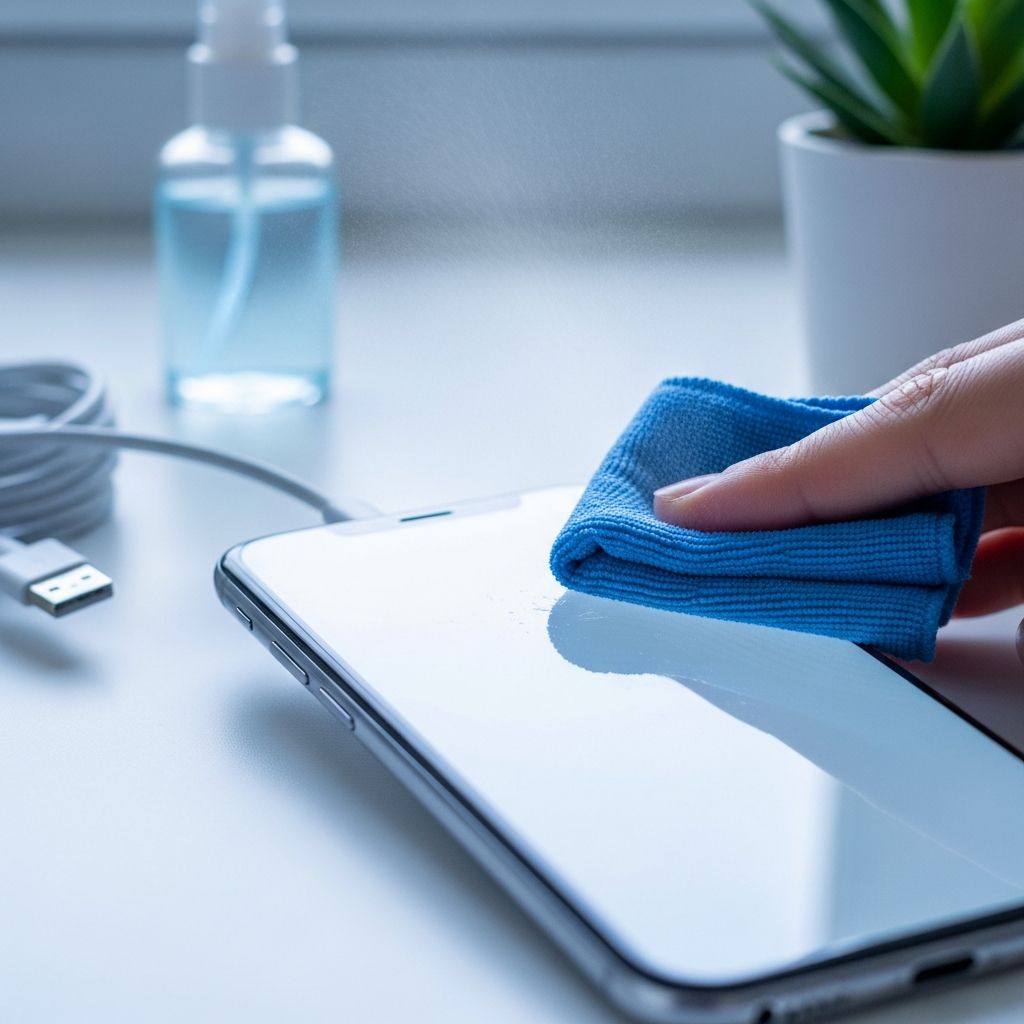
- Never spray liquid directly on the phone; apply it to a cloth first.
- Avoid bleach, ammonia, glass cleaner, abrasive powders and anything gritty.
- Keep liquids away from openings like the charging port, speakers and microphone.
Essential Tools for Everyday Phone Cleaning
You do not need a drawer full of gadgets to keep your phone in good shape. A small kit of gentle, purpose-made products is enough for daily and weekly care.
1. Microfiber Cloths: Your First Line of Defense
If you invest in only one product, make it a good microfiber cloth. The tightly woven fibers pick up oils and fine dust without scratching glass or plastic, making them far safer than paper towels or tissues.
- Choose lint-free cloths designed for eyeglasses, camera lenses or electronics.
- Keep a small cloth in your bag or desk drawer for quick daily wipe-downs.
- Wash microfiber separately without fabric softener to maintain absorbency.
2. Screen-Safe Cleaning Sprays and Wipes
For fingerprints that do not budge with a dry cloth, a screen-safe spray or pre-moistened wipe is useful. These formulas are designed to cut through oils and light grime without stripping the protective coatings many displays use.
- Look for products labeled specifically for phones, tablets or electronics.
- Use wipes or sprays with moderate alcohol content only if your manufacturer approves them.
- Apply spray to the cloth, not the device, then wipe in gentle, overlapping strokes.
3. Disinfecting Options: Alcohol Pads and UV Devices
When reducing germs is the priority, such as during cold and flu season, you may want periodic disinfection on top of routine cleaning. There are two common approaches: alcohol-based wipes and ultraviolet (UV-C) sanitizing boxes.
- Electronics-safe disinfecting wipes or pads typically use a controlled percentage of alcohol to reduce bacteria and viruses on hard surfaces.
- UV-C sanitizers enclose your phone in a small box and expose it to ultraviolet light for a preset cycle, offering a dry, no-wipe option.
- Always confirm that any disinfecting product or method is considered safe by your phone’s manufacturer.
4. Soft Detail Tools for Ports and Speakers
Dust and lint packed into small openings can interfere with charging or sound quality. The key is to remove buildup without scraping sensitive components.
- Use a soft brush (like a small, clean makeup or camera brush) to whisk away surface dust from speaker grilles.
- A manual air blower or gentle puff of air can help dislodge loose particles at ports.
- A wooden or plastic toothpick can carefully nudge out lint from the charging port, but avoid metal objects that might damage internal pins.
5. Case-Care Products
Phone cases collect just as much grime as the phones they protect. The best cleaning method depends on whether your case is plastic, silicone, leather, fabric or wood.
- Plastic and silicone cases usually tolerate mild soap and water with a soft brush.
- Leather cases benefit from a damp cloth followed by a leather-specific cleaner or conditioner if recommended.
- Fabric or patterned cases may require spot cleaning to avoid fading or water marks.
Step-by-Step: Quick Daily Refresh in Under 2 Minutes
Think of this as the smartphone version of washing your hands. It is simple enough to do after your commute or before you sit down to eat.
- Power down. Turn off your phone and unplug any accessories.
- Dry wipe. Use a clean microfiber cloth to gently wipe the entire screen in straight lines, then the back and sides.
- Spot clean. If you see stubborn fingerprints, lightly mist a corner of the cloth with screen-safe spray and revisit those areas.
- Camera and sensors. Give a final swipe across rear and front camera lenses and any visible sensors.
Doing this once a day or every few days cuts down on smear buildup and keeps more intensive cleaning sessions short and easy.
Step-by-Step: Weekly Deep Cleaning Routine
Once a week, take a few extra minutes to tackle hidden grime and give both your device and case a proper refresh.
- Turn off and strip down. Power off the phone, unplug cables and remove the case and any removable accessories.
- Clean the case.
- For plastic or silicone: Wash with lukewarm water and a drop of mild dish soap, using a soft brush on textured areas.
- For leather: Wipe with a lightly damp cloth, then apply a leather-safe cleaner if desired.
- For fabric: Spot treat stains with a mild solution and air-dry completely.
- Detail the phone body. Use a slightly damp microfiber cloth (with water or screen-safe solution) to clean the sides and back, avoiding openings.
- Address ports and speakers. Gently brush speaker grilles and microphone holes; use air or a wooden toothpick to coax lint from the charging port without forcing it.
- Disinfect, if desired. Use an electronics-approved disinfecting wipe or run the device through a compatible UV-C sanitizer according to instructions.
- Reassemble. Allow both phone and case to dry fully, then replace the case and power the phone back on.
Recommended Cleaning Frequency
The right schedule depends on how and where you use your phone. High-traffic, outdoor or shared environments call for more frequent attention than a home office setup.
| Lifestyle / Usage Pattern | Quick Wipe-Down | Deep Clean + Case Wash | Disinfecting Step |
|---|---|---|---|
| Office or home worker | Every 2–3 days | Once every 1–2 weeks | As needed during cold/flu season |
| Commuter, student, heavy traveler | Daily | Weekly | Several times per week |
| Healthcare, retail, food service | Once per shift or more often | Weekly or per employer policy | Daily, following workplace guidelines |
| Outdoor sports or construction | After dusty or dirty activities | Weekly, plus extra after heavy exposure | As needed, especially if shared |
Common Mistakes That Damage Phones
Well-meaning cleaning attempts sometimes do more harm than good. Avoid these habits to keep your device in good working order.
- Using window cleaner or kitchen spray. These often contain ammonia, fragrances or abrasives that can cloud coatings or irritate skin.
- Soaking the phone. Even if your device is water-resistant, submerging it in cleaning solutions increases the risk of damage and voided warranties.
- Scrubbing with paper towels. The rough fibers can create tiny scratches that dull the screen over time.
- Blasting canned air too close. High-pressure bursts or tilting the can may send cold propellant into ports.
- Using metal tools in ports. Pins and contacts are delicate; metal objects can bend or short them out.
Creating a Phone-Cleaning Kit You’ll Actually Use
Having supplies within reach makes it much more likely you will stick to your routine. Build a compact kit and stash it where you charge or store your phone most often.
- Two or three small microfiber cloths in different locations: bag, office, bedside.
- Travel-size bottle of screen-safe spray or a pack of electronics-friendly wipes.
- A soft detail brush and manual air blower for occasional port and speaker cleanup.
- An optional UV-C sanitizing box near your main charging station.
Healthy Habits That Keep Your Phone Cleaner
Products are only part of the story. Small behavioral changes go a long way in reducing how dirty your phone gets between cleanings.
- Avoid using your phone while eating to limit food smears and grease.
- Do not bring your phone into the bathroom when possible.
- Wash or sanitize your hands before long scrolling sessions or gaming.
- Encourage family members not to share devices when anyone is sick.
- Use a wrist strap or lanyard in crowded places to minimize drops and floor contact.
SEO-Friendly FAQs About Cleaning Your Phone
How often should you clean your phone?
For most people, a quick wipe-down every few days and a deeper clean once a week keeps smudges and everyday grime under control. If you commute on public transit, share your phone with kids or work in a public-facing job, aim for a daily wipe and more frequent disinfecting during cold and flu season.
Can you use alcohol to clean a phone screen?
Some manufacturers allow specific concentrations of isopropyl alcohol on screens, while others warn that frequent use may wear down protective coatings over time. Always check your device’s official care instructions; if they permit alcohol, use electronics-approved wipes or solutions sparingly and follow with a dry microfiber cloth.
What is the safest way to disinfect a smartphone?
The safest method is the one your phone’s manufacturer explicitly supports, which commonly includes electronics-safe wipes or a compatible UV-C sanitizer. Avoid harsh household disinfectants or bleach sprays, since these can damage finishes, seep into openings and potentially affect long-term performance.
Are UV phone sanitizers worth it?
UV-C sanitizing boxes are not essential for everyone, but they offer a convenient, dry way to reduce surface germs if you handle your phone in high-risk environments or share it frequently. They work best as a complement to, not a replacement for, routine cleaning with a cloth and appropriate cleaner.
Can you use baby wipes or makeup wipes on a phone?
Most baby wipes and makeup wipes contain moisturizers, fragrances or oils that can leave residue on screens and cases. Over time, this residue attracts more dirt and may interfere with coatings, so it is safer to stick with wipes formulated specifically for electronics.
Do screen protectors affect cleaning?
Screen protectors can make cleaning easier by providing an extra barrier between the glass and your cleaning products. If the protector becomes scratched or cloudy despite your best efforts, replacing it often restores clarity and may prolong the life of the original display underneath.
Bringing It All Together
Keeping your phone clean does not require complicated routines or harsh chemicals. With a few gentle products, consistent habits and a schedule that matches your lifestyle, you can enjoy a clearer screen, fewer smudges and a device that feels better to hold every day.
Similar Articles





Read full bio of Sneha Tete