Smarter Home Comfort: A Complete Guide to Setting and Using Your Air Conditioner
Cut energy waste, stay comfortable, and extend the life of your AC with smarter settings and simple habits.
How to Set and Use Your Air Conditioner for Maximum Comfort and Efficiency
Using an air conditioner is not just about switching it on when the heat rises. Smart settings, thoughtful habits, and a bit of basic maintenance can dramatically improve comfort while lowering your energy bills. This guide walks you through how to set, run, and support your AC system so it works better and lasts longer.
Understanding Your Air Conditioner Controls
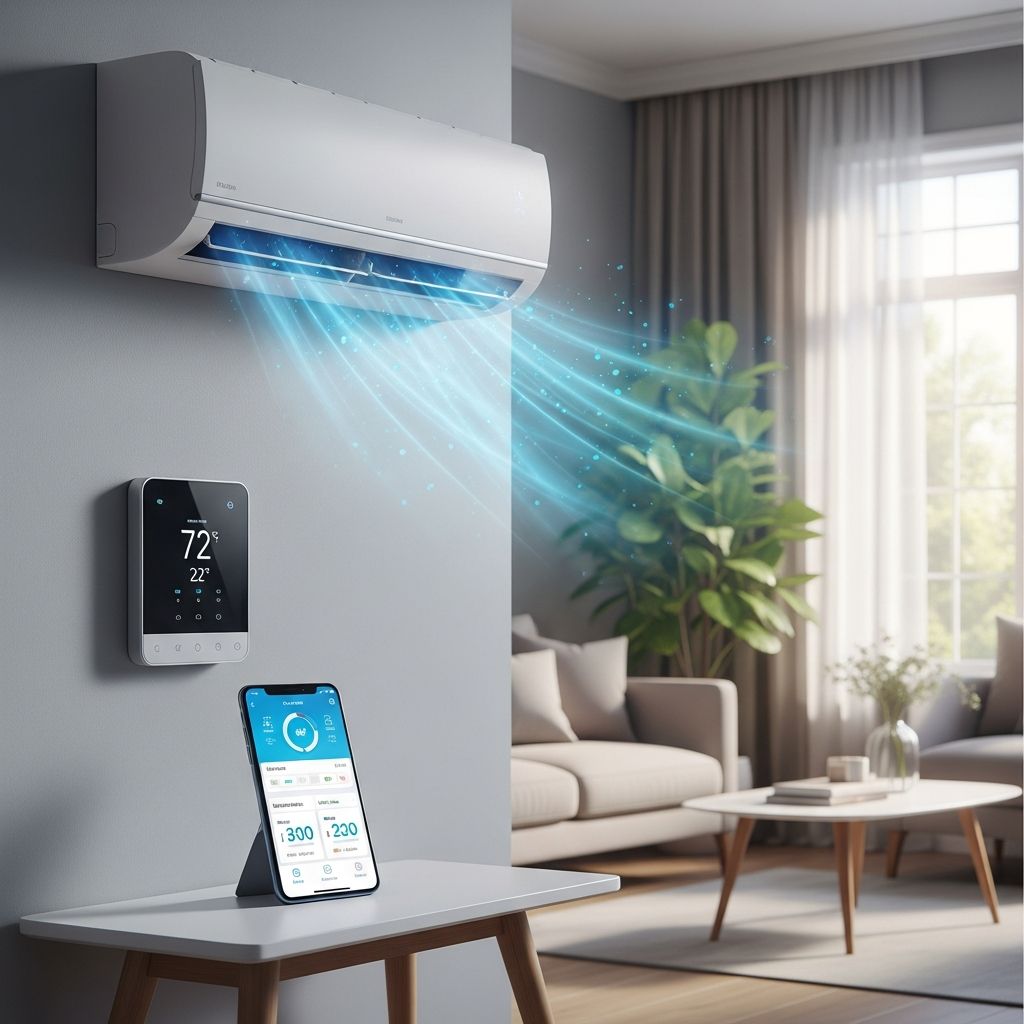
Before changing any settings, it helps to understand what the main controls actually do. Most modern systems include a thermostat, several operation modes, fan speed options, and a few special features that can make operation more efficient or more comfortable in different situations.
- Thermostat: The device (often wall-mounted) that tells the AC when to turn on or off based on the temperature you select.
- Mode selection: Common modes include Cool, Dry (dehumidify), Fan Only, and Auto, each designed for different types of weather and comfort needs.
- Fan settings: Usually Auto, Low, Medium, and High; these control how fast air moves through your home.
- Advanced features: Sleep, Eco, timers, and Wi-Fi controls can refine temperature and energy use throughout the day.
Ideal Temperature Settings for Different Situations
Choosing the right temperature is a balance between comfort, cost, and how your body adapts to the season. You do not need to keep your home icy cold to feel comfortable; small adjustments can save a surprising amount of energy over the course of a summer.
| Situation | Suggested Temperature Range | Notes |
|---|---|---|
| At home and awake | 24–26°C (75–78°F) | Most people find this comfortable with light clothing and air movement. |
| Sleeping | 24–25°C (75–77°F) | Slightly cooler can help sleep, but avoid large swings that wake you. |
| Away from home (daytime) | 27–29°C (80–84°F) | Higher setting cuts energy use while keeping humidity under control. |
| Short outings (1–3 hours) | 2–3°C (3–5°F) warmer than normal | Reduces runtime without letting the home overheat. |
| Extremely hot, humid days | 25–26°C (77–79°F) | Prioritize humidity removal over chasing a very low number. |
As a practical rule, try setting the thermostat as high as you can while still feeling comfortable. If you raise the setting gradually over a week, your body will usually adjust, and your electric bill will drop without feeling like you are suffering in the heat.
How to Use Modes and Fan Settings
Most people leave the AC on Cool and forget about the other modes, but choosing the right mode and fan behavior can significantly change both comfort and cost. Understanding when to use each will help your system run more effectively.
Cooling mode vs. dehumidifying mode
Use Cool mode when the air feels hot and sticky and you need a noticeable temperature drop, especially during the hottest hours of the afternoon. Choose Dry or dehumidifying mode when the temperature is mildly warm but the air feels heavy and damp; this mode focuses on removing moisture with more moderate cooling, which can feel surprisingly comfortable at a higher temperature setpoint.
Auto fan vs. continuous fan
Auto fan means the fan runs only when the system is actively cooling, which generally uses less electricity and reduces the risk of blowing warm, unconditioned air. A continuous fan setting (On) runs air all the time; this can help even out temperatures between rooms and may improve filtration, but it also uses more energy and can sometimes blow muggy air if the system is off for long periods.
Choosing fan speeds
- Low or Medium: Good for dehumidification and quieter operation; air passes coils more slowly, enhancing moisture removal.
- High: Best during very hot times when you need strong airflow across all rooms, but it may leave the air feeling slightly more humid.
- Auto speed: Lets the unit adjust fan speed as needed; this is usually reliable for most homes and requires little attention.
Energy-Saving Strategies That Do Not Sacrifice Comfort
Cooling your home can consume a large share of your energy budget, but many savings come from smart behavior, not just expensive equipment upgrades. Combining moderate thermostat settings with a few low-cost habits can significantly lower your bills while keeping your home comfortable.
- Raise the thermostat slightly: Every small increase in setpoint reduces how often the AC runs; aim for one or two degrees higher and see if you still feel fine.
- Use ceiling fans wisely: Fans create a cooling effect on your skin, letting you set the thermostat higher while feeling just as comfortable.
- Block heat gain: Close curtains or blinds on sun-facing windows during the hottest part of the day to reduce indoor temperature rise.
- Limit heat-producing activities: Run ovens, dryers, and dishwashers in the evening or early morning when possible.
- Seal obvious gaps: Weatherstripping around leaky doors and windows helps keep cooled air inside and hot air outside.
Room-by-Room Comfort Tuning
Even with a well-set thermostat, different rooms often feel warmer or cooler than others due to sunlight exposure, insulation, and how the ductwork was designed. Small, targeted adjustments can help balance these problem areas without overworking the system.
Bedrooms
Bedrooms usually benefit from slightly cooler, stable temperatures at night and reduced light and noise. Close blinds before sunset in west-facing rooms, run ceiling fans on low, and avoid extreme overnight setbacks that might wake you up feeling too cold or too warm. If your system allows, use programmed setbacks that cool the bedrooms a bit before bedtime and relax the setting slightly before morning.
Living areas and kitchens
Living rooms and kitchens often see more activity and more heat from lighting, appliances, and people. Consider keeping air vents fully open in these rooms and slightly reduced in lightly used rooms so conditioned air is prioritized where you spend the most time. Use range hoods when cooking and keep interior doors open so cool air can move more freely through the home.
Basements and upper floors
Basements tend to feel cool and sometimes damp, while upper floors often run hotter than the main level. If your system has adjustable registers, partially close the ones in the basement and fully open those on the upper floor to drive more cooled air upward. In very humid climates, a standalone dehumidifier in the basement can relieve clamminess without forcing you to overcool the whole house.
Smart Thermostats and Scheduling
Programmable and smart thermostats can automate many of the strategies described so you do not have to remember to change settings throughout the day. Instead of drastically turning the AC off and on, they apply moderate, planned adjustments that protect comfort and your system’s health.
- Daily schedules: Set slightly higher temperatures while you are at work and cooler settings shortly before you return home.
- Weekend profiles: If your schedule changes on weekends, create a different program that reflects when you are home.
- Geofencing and remote control: With many smart models, your phone can signal when you are approaching home so the system starts cooling in advance.
- Energy reports: Some devices show how long your system runs and highlight ways to adjust settings for additional savings.
When setting schedules, avoid extreme swings—for example, going from very warm during the day to very cold in the evening. Large swings can force the air conditioner to run for long stretches, which may feel uncomfortable and reduce potential savings.
Common Mistakes That Make Your AC Work Harder
Certain habits cause the system to run more than necessary, wear out sooner, or cool unevenly. Once you know what to avoid, it becomes easier to protect the equipment and your budget at the same time.
- Setting the thermostat extremely low: Selecting a very low temperature does not cool the house faster; it only forces the unit to run longer and may make some rooms uncomfortably cold.
- Frequently changing the temperature: Constant adjustment can cause short cycling, where the system switches on and off too often, which is inefficient and hard on components.
- Blocking vents with furniture or rugs: Obstructed vents restrict airflow, creating hot and cold spots and putting strain on the blower.
- Ignoring humidity: Focusing only on the temperature number while ignoring sticky, clammy air can lead to settings that feel uncomfortable even when the thermostat reads low.
- Cooling unused spaces too much: Over-conditioning rarely used rooms wastes energy; adjust vents or close doors in a way that does not choke overall system airflow but prioritizes lived-in areas.
Simple Maintenance That Improves Performance
How you set your air conditioner matters, but so does the physical condition of the equipment. Simple, regular maintenance tasks take only a few minutes and can noticeably improve airflow, efficiency, and reliability.
Filter care
The air filter is one of the most important and most neglected parts of the system. A clogged filter forces the unit to work harder to pull air through, which can reduce cooling performance, increase energy use, and in some cases cause the coil to freeze.
- Check the filter at least once a month during heavy cooling season.
- Replace disposable filters or wash reusable ones when they look dirty or according to manufacturer guidance.
- Choose a filter with a suitable rating: very dense filters may improve filtration but can restrict airflow in older systems.
Outdoor unit care
The outdoor part of your air conditioner needs good airflow as well, especially around the coil and fan. Keep at least a small clearance on all sides and on top so the unit can release heat effectively to the outside air.
- Gently clear leaves, grass clippings, and debris from around the outdoor unit.
- Trim shrubs and plants so they do not block the sides or top.
- Avoid stacking objects on the unit or against the housing, which can obstruct airflow and cause overheating.
Balancing Comfort, Health, and Cost
Comfort is not only about the air feeling cool. Humidity, air movement, noise, and indoor air quality all play a role in how pleasant your space feels and how healthy it is to occupy. Paying attention to these factors allows you to avoid overcooling while still creating a pleasant environment.
- Humidity control: Aim for indoor humidity that feels comfortable and does not leave surfaces damp or sticky; if the air feels clammy, a slightly cooler setting plus moderate fan speed can help.
- Air movement: Gentle, consistent air circulation from ceiling fans or well-placed portable fans can make higher thermostat settings feel just as comfortable.
- Indoor air quality: Clean filters, occasional fresh air from operable windows (when outdoor conditions allow), and regular dusting help reduce irritants that circulate with cooled air.
FAQs About Setting and Using Your Air Conditioner
Should I turn my AC off when I leave the house?
For short absences of a few hours, it is usually better to raise the thermostat a few degrees rather than shutting the system off completely. Turning the AC off for long periods can allow heat and humidity to build up, making the system work extra hard to recover comfort when you return. For longer trips, using a higher setpoint or vacation mode is typically the most efficient choice.
Does lowering the thermostat cool my home faster?
No. Air conditioners generally run at a fixed output, not faster when the temperature is set lower. Setting the thermostat extremely low simply causes the system to run longer, which can waste energy and sometimes overcool parts of the home.
Is it better to leave interior doors open or closed?
In most homes with central air, leaving doors at least partially open improves airflow and reduces pressure imbalances between rooms. Completely closing many doors can interfere with even distribution of cooled air and may make some rooms hotter and others colder.
How often should I change my AC filter?
During heavy cooling season, a monthly check is a good habit. Some filters may last longer, but visual inspection for dust buildup and following manufacturer guidance are the best indicators for replacement frequency.
Can ceiling fans replace air conditioning?
Ceiling fans do not actually lower the air temperature; they make you feel cooler by moving air across your skin. They are a great complement to air conditioning because they allow you to set the thermostat higher while feeling just as comfortable, but they do not fully replace the cooling effect of an AC unit in very hot conditions.
What is the best nighttime temperature for sleep?
Most people sleep well in a slightly cooler environment, often in the mid-20s Celsius (mid-70s Fahrenheit), but the best setting depends on your bedding, clothing, and personal preference. Try small adjustments up or down over several nights to find a balance between restful sleep and reasonable energy use.
Why are some rooms always hotter than others?
Room temperature differences often come from sun exposure, insulation quality, duct design, and how vents are adjusted. Redirecting airflow with register adjustments, keeping doors open, shading sunny windows, and using fans can help reduce these differences without dropping the thermostat for the whole house.
Putting It All Together
Using your air conditioner effectively is about more than a single ideal temperature. When you understand the controls, use modes and fan settings appropriately, schedule small adjustments throughout the day, and support the system with good habits and simple maintenance, your home stays comfortable while your energy use stays under control. A thoughtful approach today also helps your equipment last longer, delaying costly repairs and replacements in the future.
Similar Articles






Read full bio of Sneha Tete