Light Timer Setup: Step-By-Step Guide For Every Home
Unlock energy savings and home security with our comprehensive guide to installing and programming light timers for effortless automation.
Mastering Light Timer Setup
Light timers represent a simple yet powerful way to automate your home’s lighting, offering benefits like reduced energy consumption, improved security, and added convenience. Whether you’re managing porch lights, garage illumination, or interior fixtures, properly setting up a timer ensures reliable operation without constant manual intervention. This guide explores everything from choosing the right model to advanced programming, helping you achieve seamless control.
Why Automate Your Lights with Timers?
Integrating timers into your lighting system addresses several practical needs. Primarily, they cut down on electricity bills by ensuring lights turn off automatically when not needed. For outdoor setups, this mimics occupancy, deterring potential intruders as lights appear to follow a natural pattern. Indoor applications provide similar advantages, such as scheduled task lighting or vacation modes that simulate presence.
Modern timers also adapt to daily changes, with features like dusk-to-dawn sensors adjusting to seasonal light variations. Studies from energy agencies highlight potential savings of 10-30% on lighting costs through automation, making it a worthwhile investment for any household.
Types of Light Timers Available
Understanding the variety helps in selecting the best fit. Mechanical timers use physical dials and pins for scheduling, ideal for basic, budget-friendly setups. These plug-in models suit lamps or low-voltage devices without wiring changes.
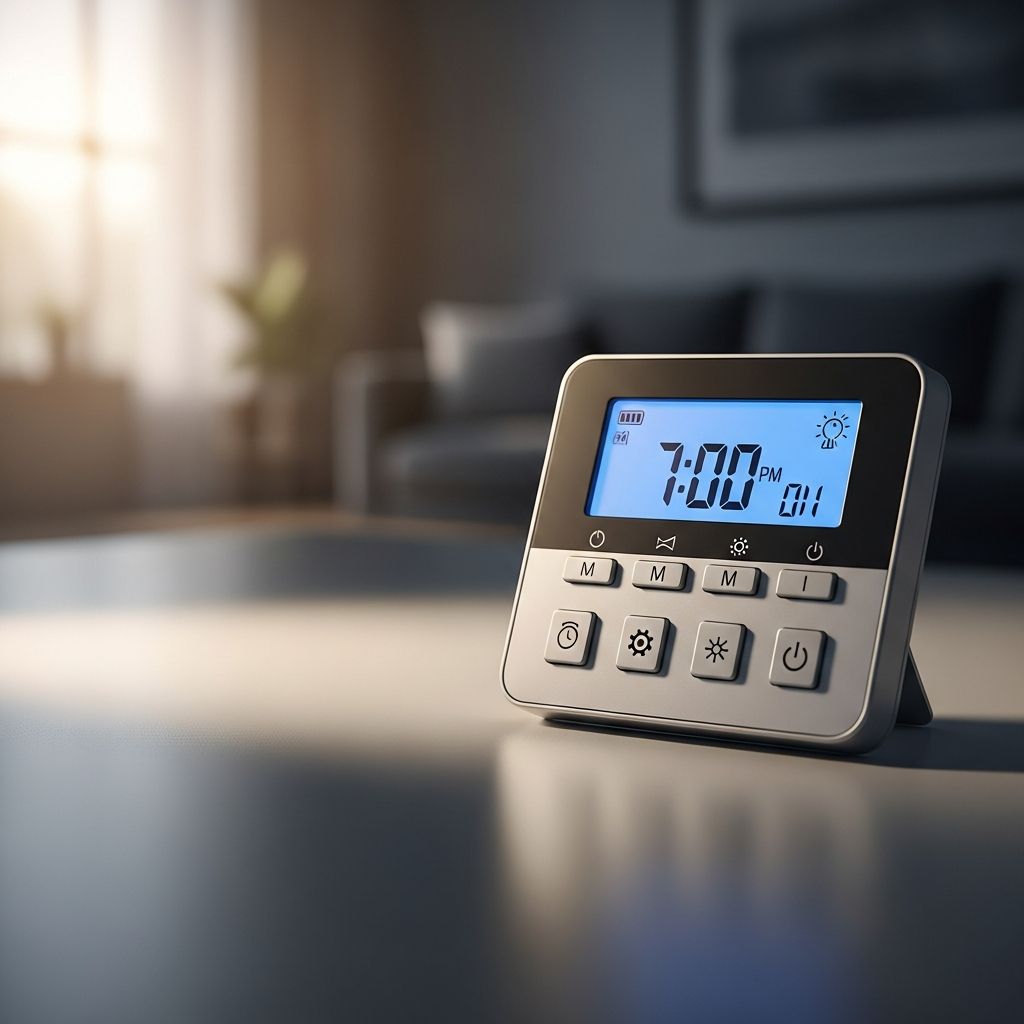
Digital programmable timers offer precision with LCD displays, allowing multiple daily events, random modes, and astronomic tracking that syncs with sunrise and sunset. In-wall switches replace existing toggles, perfect for hardwired lights, supporting loads from fans to motors.
Smart timers connect via Wi-Fi or hubs, enabling app control, voice commands, and integration with ecosystems like Alexa or Google Home. Hybrid options combine mechanical reliability with digital interfaces for versatility.
| Type | Best For | Key Features | Installation Complexity |
|---|---|---|---|
| Mechanical | Plug-in lamps | Dial with pins, 24-hour cycle | Low – Plug and set |
| Digital In-Wall | Hardwired lights | Multiple programs, backlight sensor | Medium – Wiring required |
| Smart Wi-Fi | Full home automation | Remote access, scheduling apps | High – Network setup |
Essential Tools and Safety Precautions
Before diving in, assemble these items: screwdrivers (flathead and Phillips), voltage tester, wire strippers, wire nuts, electrical tape, pliers, and the timer unit. For in-wall installs, a non-contact voltage detector adds safety.
- Always switch off power at the breaker and verify with a tester—no assumptions.
- Wear insulated gloves and work in dry conditions.
- Consult local electrical codes; some areas require permits for switch replacements.
- If unsure about wiring, hire a licensed electrician to avoid hazards like shocks or fires.
Safety first ensures a smooth process, preventing common pitfalls like live wire exposure.
Selecting the Perfect Timer for Your Needs
Match the timer to your setup. For outdoor lights, prioritize weatherproof or in-wall models with IP-rated enclosures. Check load ratings—typically 15-20 amps for residential use—to handle LED, incandescent, or CFL bulbs.
Consider power source: plug-in for flexibility, hardwired for permanence. Evaluate programming depth: basic on/off versus 7-day cycles with holidays. Battery backup prevents reset during outages, crucial for reliability.
For multi-light control, opt for models with master-slave linking or astronomic modes that auto-adjust without manual tweaks.
Step-by-Step Installation Guide
Plug-In Timer Setup
These are the simplest. Locate a nearby outlet, set the manual override to ‘Timer On’, align the current time on the dial clockwise, and push pins for desired ‘On’ periods (down for on, up for off). Plug in your lamp—ensure it’s switched on—and test.
In-Wall Digital Timer Replacement
1. Power off and remove the faceplate/switch. Note wire colors: black (hot/line), white (neutral, if present), green/bare (ground), red/black (load to light).
2. Test for voltage absence. Disconnect wires, cap neutrals if bundled.
3. Connect: Line (taped black) to ‘Line’ terminal, Load to ‘Load’, neutral jumper to neutral bundle then timer neutral port, ground to green screw.
4. Tuck wires neatly, secure timer with screws, reinstall faceplate.
5. Restore power and test manual override.
Outdoor and Multi-Switch Configurations
For exterior lights, use GFCI-protected boxes. In three-way setups, cap unused traveler wires (blue often). Weatherproof enclosures shield against moisture.
Programming Your Timer Effectively
Most units have intuitive buttons: ‘Set’, ‘Mode’, arrows for time. Enter current time/date first, then on/off events. Examples:
- Porch: Dusk to 11 PM daily.
- Indoor: 6-10 AM and 5-9 PM weekdays, random weekends.
Advanced: Randomize by ±30 minutes for realism, set sunrise/sunset offsets. Save programs and test cycles over 24 hours.
Troubleshooting Common Issues
Problems arise but are fixable:
- Lights won’t turn on: Check breaker, programming, bulb integrity, load rating.
- Timer resets: Replace batteries, ensure stable power.
- Incorrect timing: Verify AM/PM, daylight savings mode.
- Wiring faults: Double-check connections with tester; swap line/load if reversed.
- No neutral error: Use compatible model or add wiring.
A systematic check restores function quickly.
Advanced Features and Optimizations
Leverage sensors for true automation: photocells detect ambient light, motion adds occupancy simulation. Integrate with smart plugs for zoned control.
Energy tracking apps in premium models log usage, optimizing schedules. Pair with LEDs for maximum savings—timers excel with low-wattage loads.
Maintenance and Longevity Tips
Inspect annually: clean terminals, test batteries, update firmware on smart units. Store manuals digitally. In humid areas, silica packs prevent corrosion.
Expected lifespan: 5-10 years with proper care, far outpacing manual switches.
Cost-Benefit Analysis
Initial outlay: $10-50 for basic, $30-100 for advanced. Payback via savings: 6-12 months at average use. Enhanced security value is immeasurable.
Frequently Asked Questions (FAQs)
Can I use a timer with LED bulbs?
Yes, most modern timers support LEDs; confirm minimum load if specified.
Do I need a neutral wire for all timers?
No, many no-neutral options exist for older homes.
How do I handle daylight saving time?
Select models with auto-adjust or manual DST mode.
Are timers safe for outdoor use?
Choose IP65-rated or in-wall with GFCI protection.
Can one timer control multiple lights?
Yes, if wired in parallel and within amp limits.
Conclusion
Setting up light timers transforms mundane lighting into an efficient, secure system. From plug-ins to smart in-walls, these devices offer scalability for any home. Follow these steps for success, and enjoy the rewards of automation.
References
- Easy Guide: Install Programmable Timer Switch for Outdoor Lights — Alion Timer. Accessed 2026. https://www.aliontimer.com/install-programmable-timer-switch-outdoor-lights/
- INSTALLATION INSTRUCTION Mechanical Timer — WAC Landscape Lighting. 2018-10. https://waclandscapelighting.com/wp-content/uploads/sites/5/2018/10/Timer.pdf
- Automatic Light Switch Timer Installation — YouTube (Leviton). Accessed 2026. https://www.youtube.com/watch?v=GY1i9n5ji4Y
- Install light timer switch — iFixit. 2023-07-25. https://www.ifixit.com/Answers/View/803522/Install+light+timer+switch
Similar Articles





Read full bio of medha deb