Brinks Fire Safe Code Reset: Step-By-Step Guide
Comprehensive guide to resetting, recovering, and managing codes on Brinks fire safes for secure access anytime.
Mastering Code Management for Brinks Fire Safes
Brinks fire safes provide robust protection for valuables against fire and theft, combining digital keypads with physical keys for layered security. Managing access codes is essential for maintaining control, especially after ownership changes or forgotten combinations. This guide explores proven methods to update codes, retrieve defaults, and handle lockouts, drawing from official procedures used by Honeywell, the current manufacturer of these units.
Understanding Brinks Fire Safe Security Features
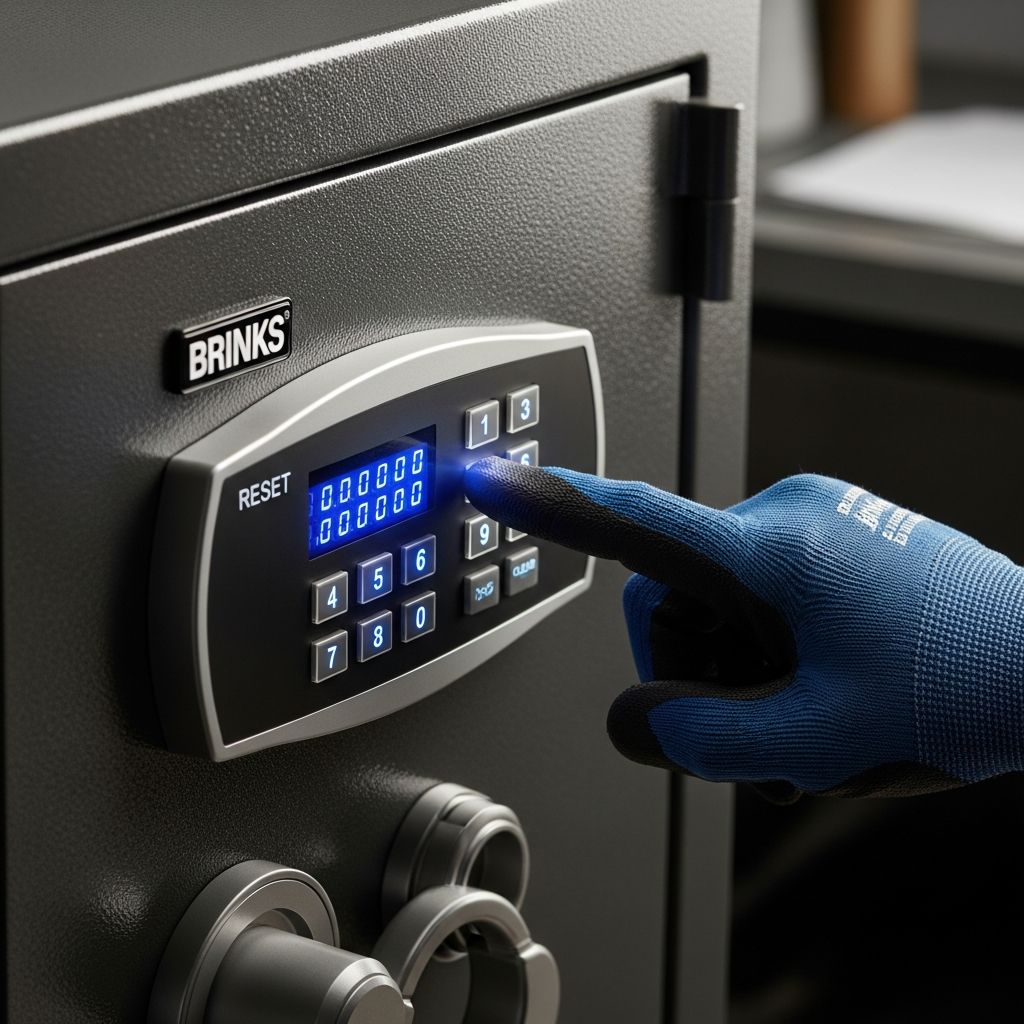
These safes feature electronic keypads supporting 4- to 8-digit codes, LCD displays for feedback like “OPEN” or “GOOD,” and dual factory presets for redundancy. An emergency override key adds a fail-safe, while internal memory tracks up to 50 past codes. Post-2009 models fall under Honeywell, with older ones handled by First Alert. Always locate your model’s serial number on the right interior side or key collar for support.
Key benefits include programmable user codes, lockout periods after failed attempts, and chime/LED confirmations for successful entries. Regular code rotation enhances security against unauthorized access.
Step-by-Step Password Reset Process
To change your active code, first gain interior access using a known combination or override key. Here’s the standard sequence for most Honeywell/Brinks electronic models:
- Unlock the safe door with your current code; confirm via “OPEN” on the display and a chime.
- Press the asterisk (*) key, input your new 4-8 digit code, followed by the pound (#) key (omit # for 8-digit codes).
- Listen for a chime; the display shows “IN” briefly, confirming programming.
- Test the new code immediately while the door remains open.
For the second factory slot, repeat identically. This process supports unlimited changes, ideal for family sharing or periodic updates. Keep doors ajar during setup to avoid premature locking.
| Step | Action | Expected Feedback |
|---|---|---|
| 1 | Enter current code | “OPEN” + chime |
| 2 | * + new code + # | “IN” + chime + code flash |
| 3 | Test new code | “GOOD” + unlock |
Recovering Forgotten Factory Preset Codes
Every Brinks safe ships with two default codes listed in the manual. If lost, contact Honeywell at 1-877-354-5457 (post-2009 models) or First Alert at 1-800-323-9005 (pre-2009, option 3). Provide model/serial numbers from the safe’s interior right side and key collar’s 4-digit etch.
Honeywell requires:
- Photo ID (driver’s license, passport).
- Sales receipt for international/international proof.
- Completed Product Ownership Verification form with contact details, model, serial, and key count for replacements.
Expect mailed combinations or keys; processing verifies ownership to prevent fraud. Retain records for faster future access.
Using the Emergency Override Key
For total code loss, the square-top emergency key bypasses electronics. Insert into the side lock and turn left to release the handle. The round-top companion key aids routine entry post-unlock. Store keys separately from the safe, ideally in a bank or trusted location. Note: Override doesn’t reset codes; reprogram inside once open.
Accessing Password History Logs
Advanced models log up to 50 prior codes for auditing. With a valid code entered (showing “OPEN”), press ‘0’ repeatedly to cycle through history. This aids recovery without support calls, displaying each briefly on the LED. Useful for multi-user households tracking changes.
Model-Specific Reset Variations
While core methods align, variants exist:
- Keypad Door Locks (e.g., EZSET): Insert pin into bottom pinhole, hold 5 seconds for three beeps and factory reset to 0000.
- Lockboxes: Slide bottom reset right, set code like 2001 while enabled.
- Model 5074: Press internal red memory button (double beep, yellow LED), enter 3-8 digit code, press ‘B,’ lock handle, test with ‘A’.
Consult manuals or serial-specific support for hybrids. Pre-2009 units may need First Alert’s reset button hold (30-60 seconds).
Troubleshooting Common Reset Issues
Failed resets often stem from:
- Lockout Mode: After 4-5 wrong tries, wait 5-20 minutes; display warns.
- Battery Failure: Replace 9V or AA packs inside door; low power causes erratic LEDs.
- No Chime/Display: Check wiring or keypad alignment.
- Key Won’t Turn: Ensure bolts retracted; reprogram first.
Table of error signals:
| Display/Sound | Issue | Solution |
|---|---|---|
| No “OPEN” | Incorrect code | Retry or use key |
| Continuous beeps | Lockout | Wait period |
| “Err” | Invalid length | Use 4-8 digits |
Best Practices for Safe Code Security
- Avoid obvious codes (birthdays, 1234); mix numbers randomly.
- Change quarterly or post-personnel shifts.
- Document in encrypted apps, not paper near safe.
- Test monthly; simulate lockouts.
- Enable dual codes for backups.
Integrate with home alarms for holistic protection. Honeywell’s site offers firmware updates for connected models.
Frequently Asked Questions
Can I reset without the current code?
Use the emergency key to open, then program anew inside.
How many codes can I store?
Two user slots plus history up to 50; some models support more via apps.
What if my safe is pre-2009?
Contact First Alert at 1-800-323-9005; provide serial details.
Does battery replacement erase codes?
No, codes persist in non-volatile memory.
Can I reprogram remotely?
No, requires physical keypad access; app-linked models pending.
Enhancing Long-Term Safe Reliability
Beyond resets, bolt safes to floors, avoid overloads, and inspect seals yearly. Honeywell’s verification forms streamline support, ensuring quick resolutions. By mastering these techniques, owners safeguard assets effortlessly, adapting to evolving threats in home security.
(Word count: 1678)
References
- How To Reset The Password On A Brinks Fire Safe — Hunker. 2018-10-08. https://www.hunker.com/12386231/how-to-reset-the-password-on-a-brinks-fire-safe/
- How do you reset the combination on a Brinks Home Security Model 5074 — Answers.com. N/A. https://www.answers.com/arts-and-crafts/How_do_you_reset_the_combination_on_a_Brinks_Home_Security_Model_5074
- How to Reset Brinks Lockbox Code — YouTube (Smart TechVille). N/A. https://www.youtube.com/watch?v=snApRq0AEwU
- How to Reset BRINKS/EZSET Keypad Door Lock — YouTube (Smart TechVille). 2023-09-14. https://www.youtube.com/watch?v=ahkoeMyQH_A
- DIGITAL Safe Manual — BRK Electronics Support. N/A. https://support.brkelectronics.com/sfc/servlet.shepherd/document/download/0694x00000PlkRcAAJ
Similar Articles




Read full bio of Sneha Tete